

One Click to Find Deals
& Fill Your Cart
Upgrade your next grocery shop with our new interactive ad! Easily clip coupons, add items to your list or cart and more—all while browsing the weekly ad.
Your One Stop Superpowered Shop
You’re in control! You can now click on any item in the ad to add it to your cart, find deals and more.
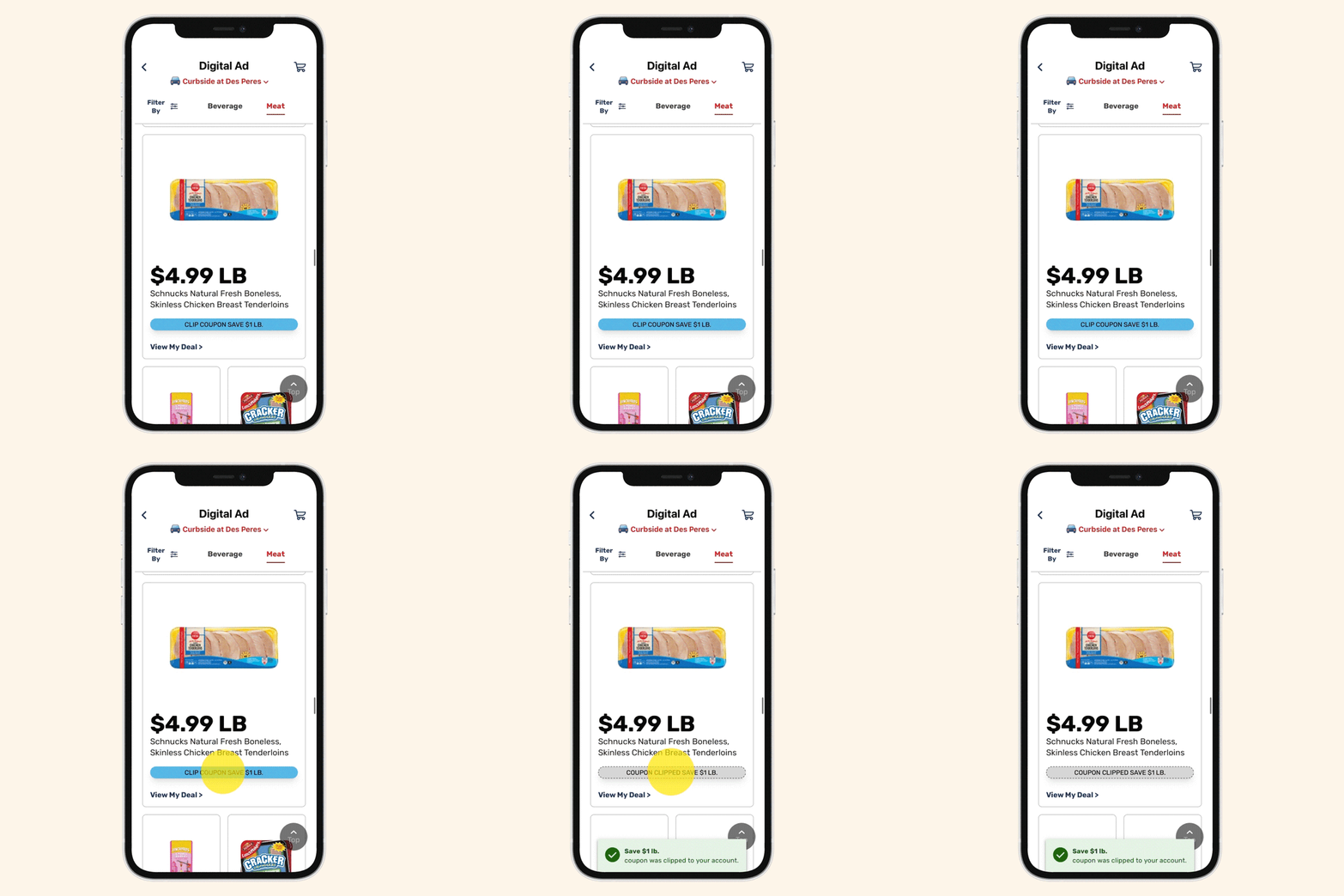
Clip Coupons
Saving is easier than ever! Clip coupons by tapping the button under each eligible item.
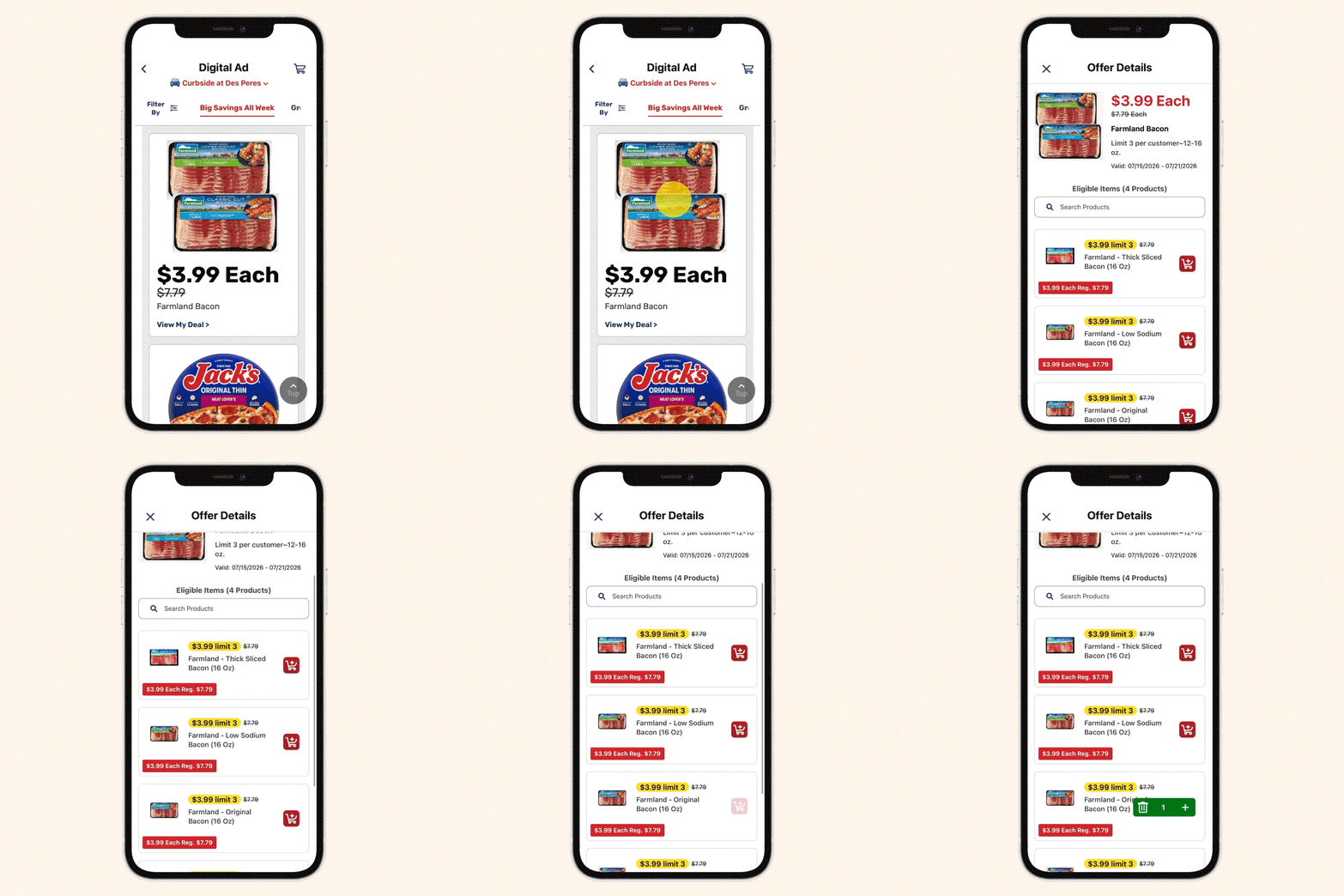
Add to List or Cart
See something you want? Just select the item in the ad and easily add it to your list or cart.
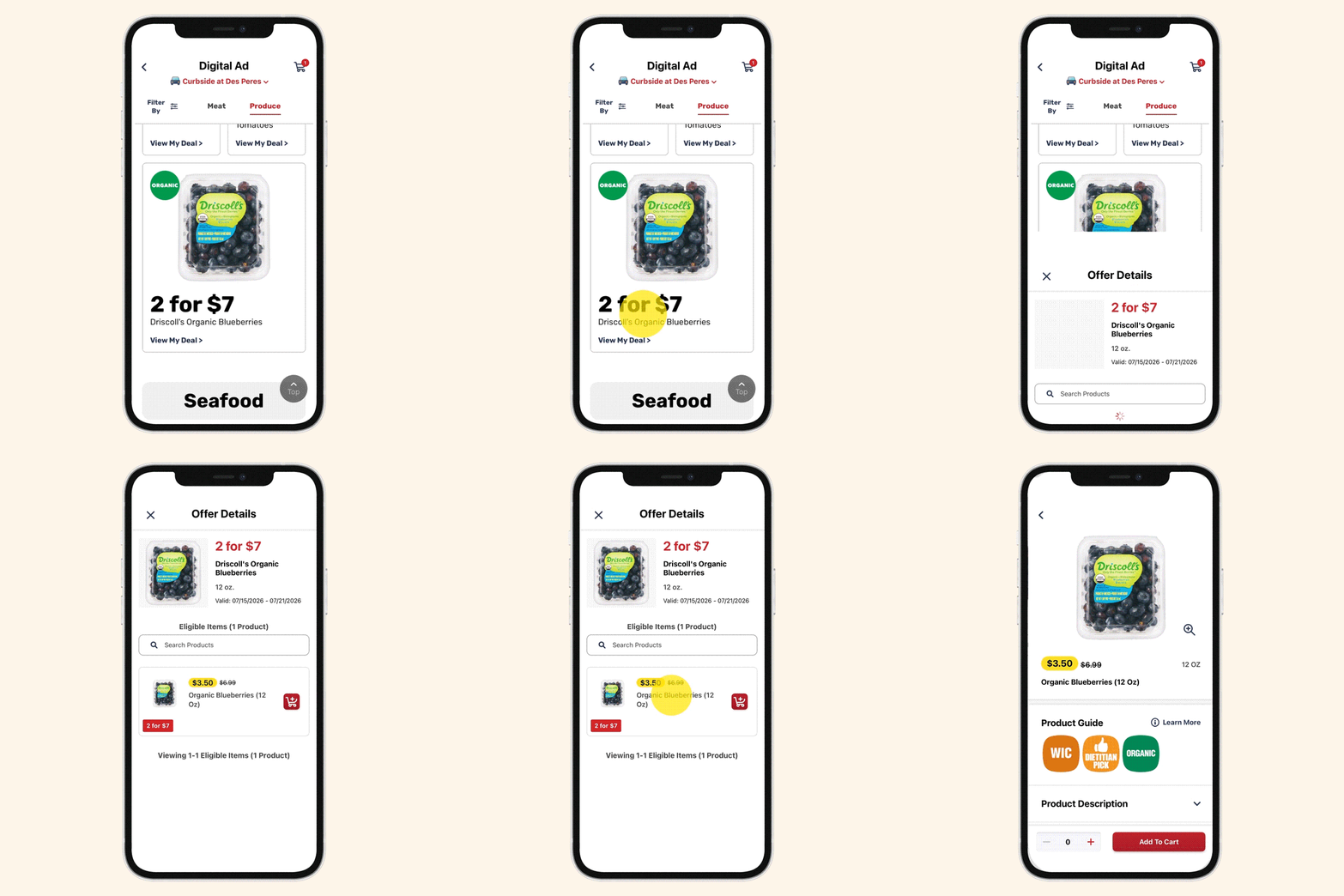
View Item Details
Select any item to get nutrition facts and find out whether it’s organic, gluten-free, WIC-approved, FSA-eligible and more.
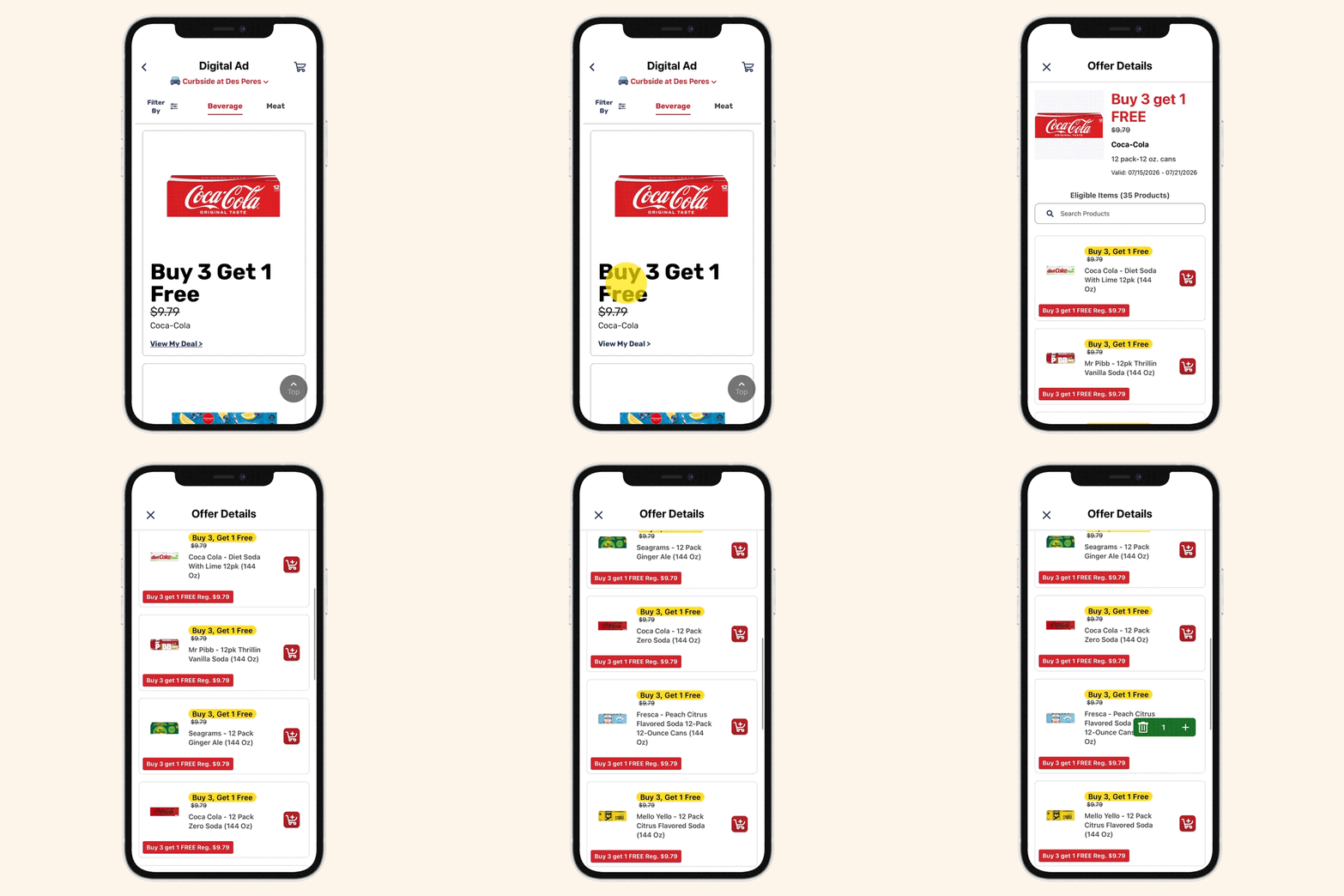
Shop All Sale Items In One Place
Shopping a sale, like a Rewards event? Click an item in the sale and see all related sale items in one spot.
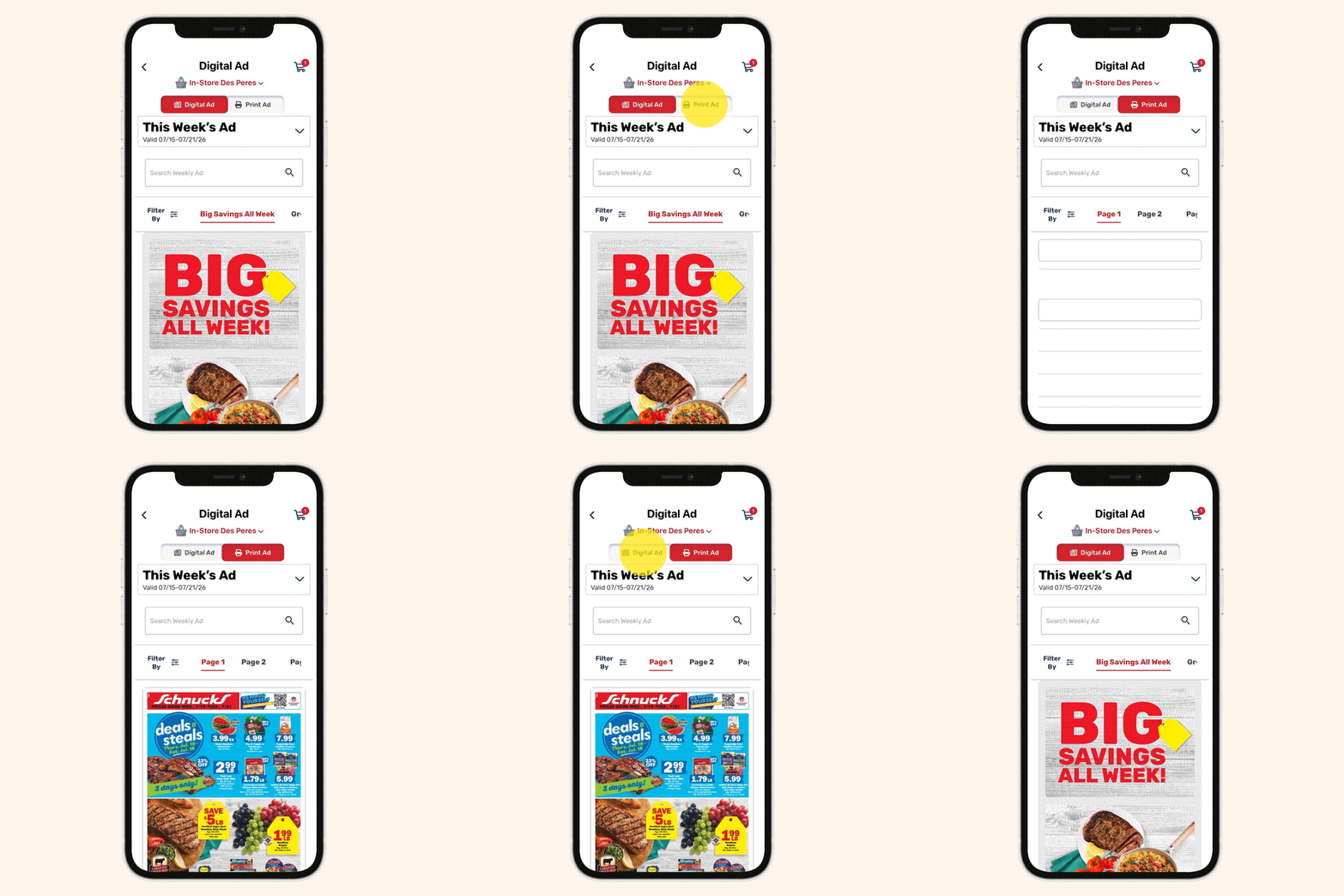
Browse Your Way
Prefer a classic view of our ad? Simply toggle between the interactive ad and classic view to browse however you like. Plus, plan ahead by switching to the sneak peek of next week’s ad!
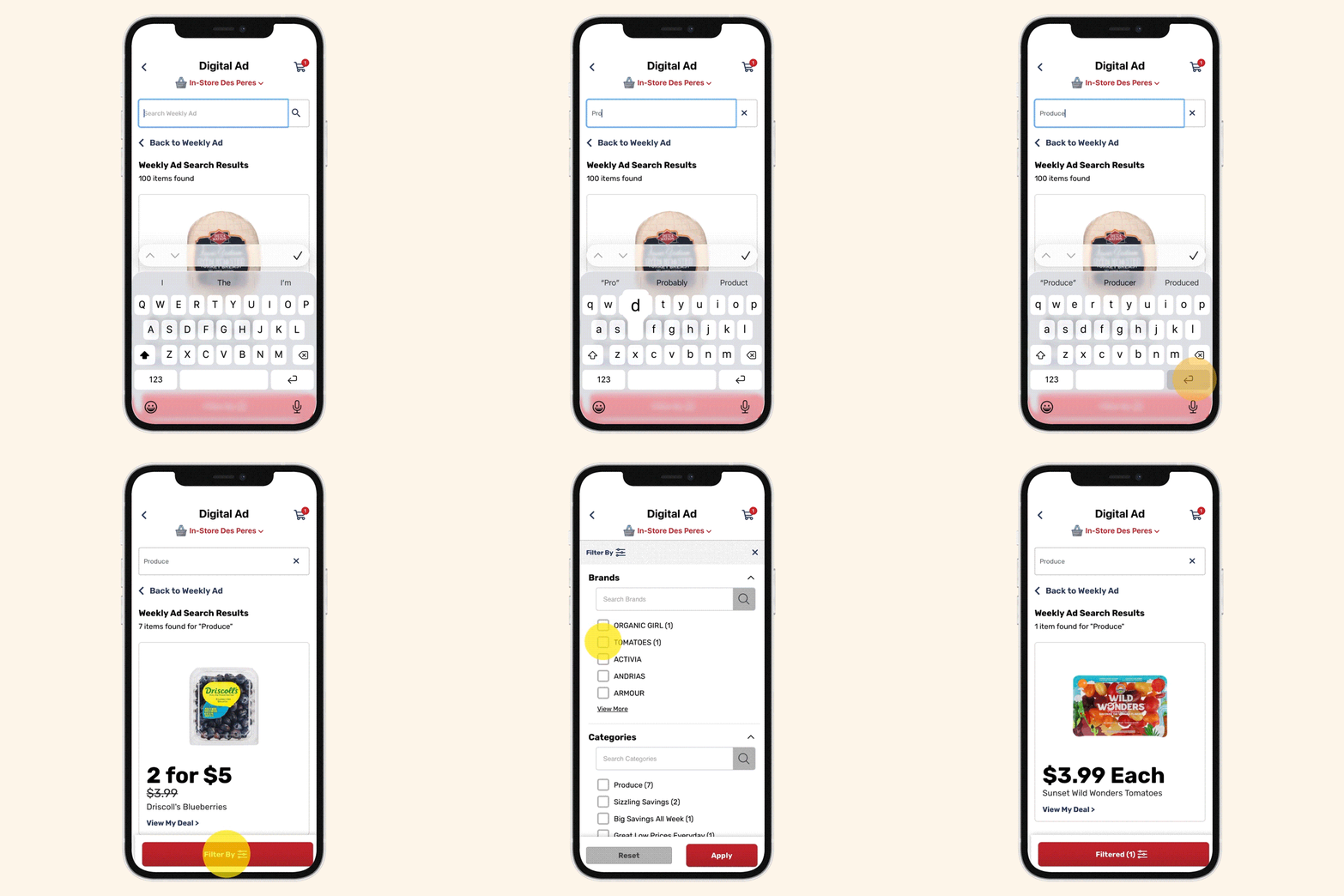
Easily Search & Filter
Use the search bar to find out if any item is on sale in the ad. Then, filter by brand, category and type of deal.
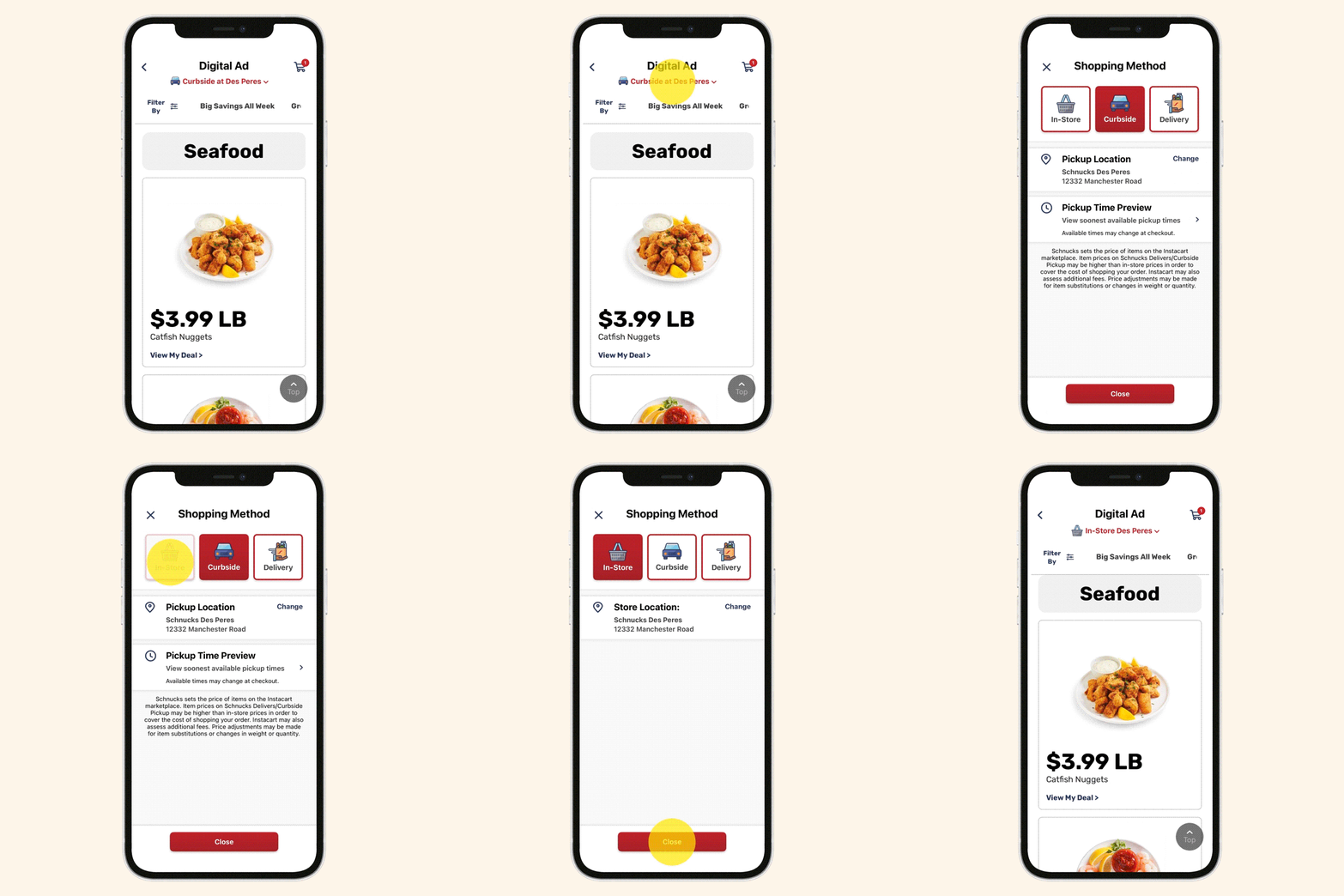
Switch Shopping Methods
Easily switch between in-store, curbside* and delivery modes while you browse the ad.
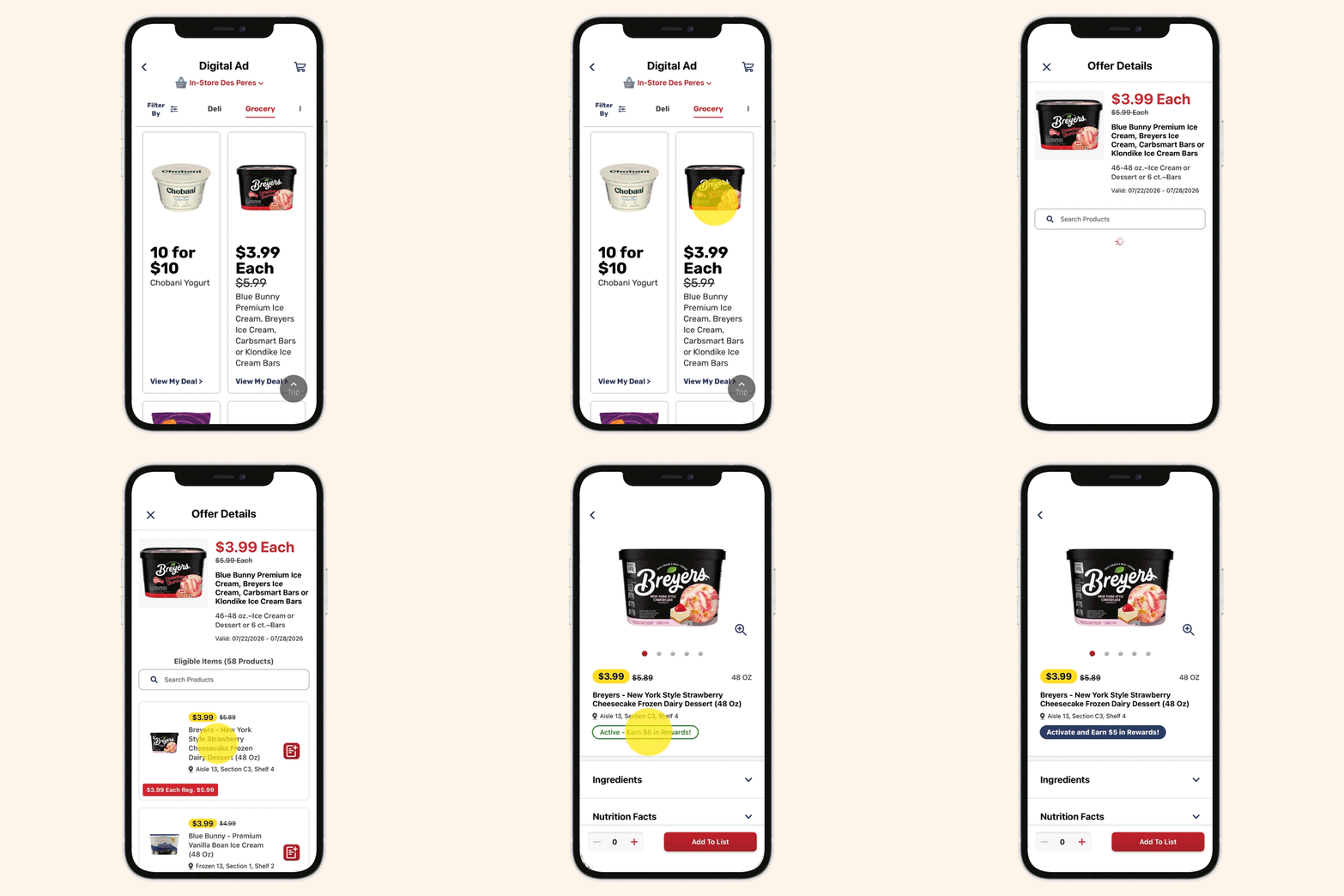
Activate Boosts
When using the app to view the weekly ad, it shows you when an item qualifies for a Rewards Boost. You can click on the item and activate the Boost or track your progress, all within the ad.
How It Works

Sign Into Your Rewards Account
Use the app or website to sign in, then select your preferred shopping method (in-store, curbside* or delivery) and store. You can skip this step if you don’t have a Rewards account, but keep in mind that many of the interactive benefits only work for Rewards members.

Open the Ad
In the app, tap on the Weekly Ad Savings card on the home screen to open the ad. On a web browser, select Weekly Ad from our main menu.

Shop Your Way
At the top of the screen, you can toggle between the new ad experience and the classic view. Enjoy browsing, shopping and saving!
Frequently Asked Questions
*Curbside delivery available at select Schnucks stores.